Okay, before we get started here, please go read OSINT Tools page. Especially learn about AbuseIPDB (or any other IP lookup tool), VirusTotal, URL2PNG, and Way Back Machine.
It would be whole another section going over how to manually collect indicators we discussed in Key Indicators section, but we will assume you have logs coming into your SIEM tool or Defender from your email systems and you will readily have access to these indicators. We will just mention one other alternative partially, which is to download the original email directly from your Outlook or Gmail window and opening it via any text editor.
Investigating Emails via Text Editor:
1- Where this download option might slightly change depending on your Email platform but just know that this is a very easy option and can be done on all of them. Here is an example:
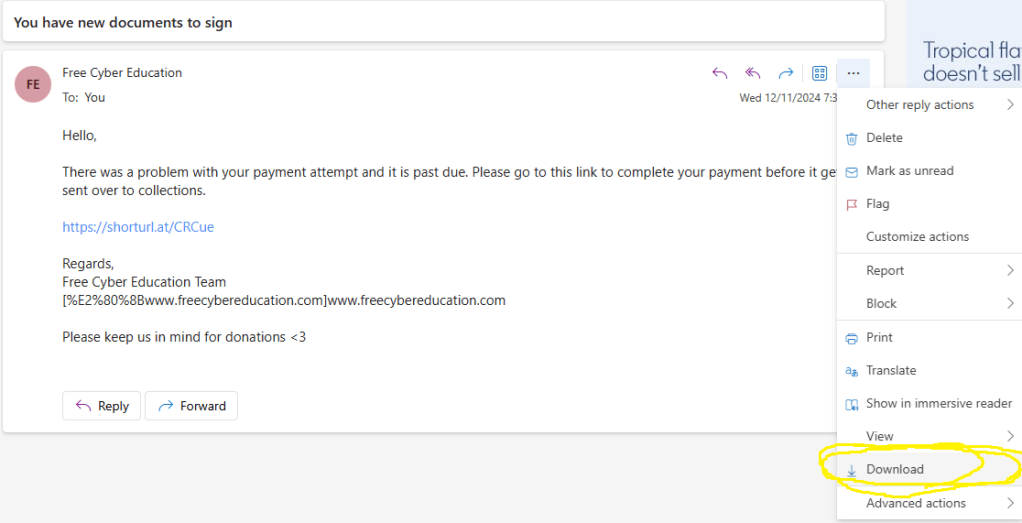
2- Open downloaded e-mail using any text editor:
At these screenshots, we will obfuscate some of the information for the sake of privacy and cover some high level ones but essentially any detail regarding this email, can be just found in this text editor and you can easily try this with any email that you have.
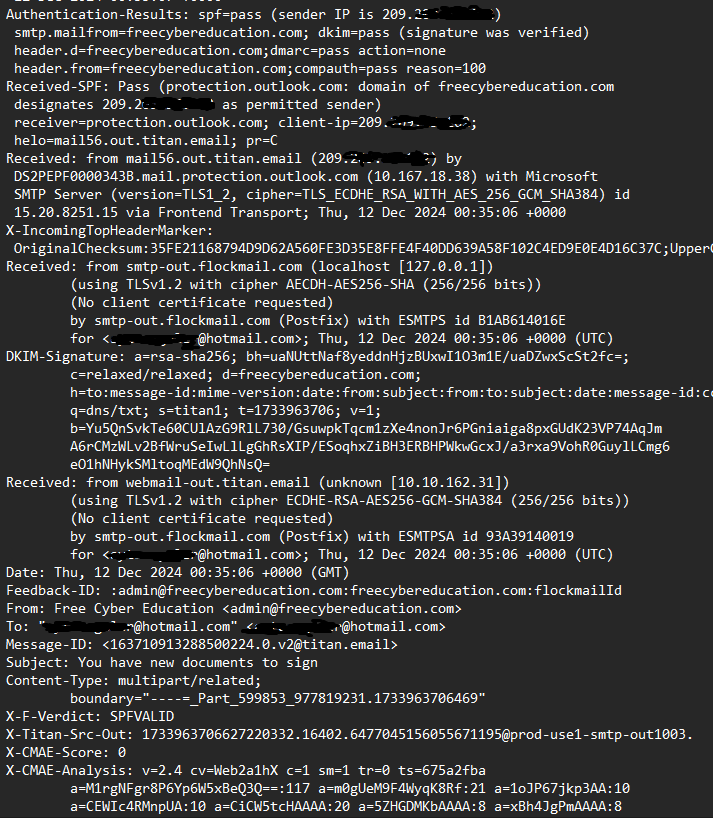
On above screenshot, we can easily spot the following:
- Sender’s IP address; we can check details of it using AbuseIPDB.
- DKIM and SPF Results; which we will discuss what this means in the next section.
- Email server’s IP address which this email is sent from.
- Date, sender’s email, receiver’s email, and subject of the email.
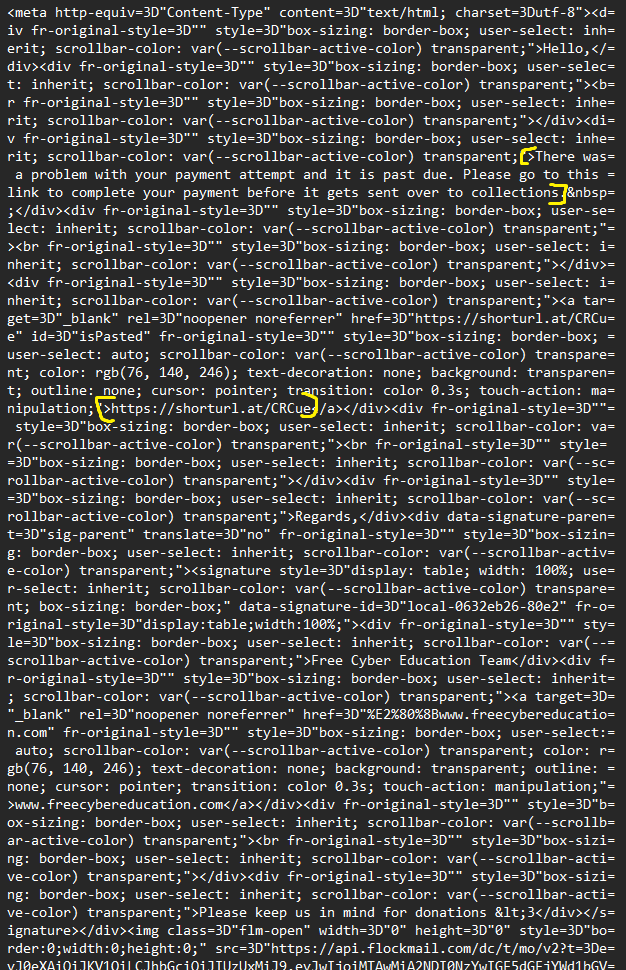
- On this screenshot we observe the body of the email.
- We are also observing URL which was in the email. Pay attention how this URL is shortened which we will also cover in a moment.
URL Shorteners:
URL Shorteners are OSINT tools such as ShortURL that can obfuscate a link. Main purpose of this is to hide the link from you and make it harder for you to tell if you are considering clicking a legitimate link or a malicious one. For example, in the screenshot above, we can see an URL called “https://shorturl.at/CRCue.” For the purpose of this example, I purposefully wrapped a non-malicious destination. If you navigate to this link, you will end up on a random file uploaded to Internet Archive.
Now we understand what URL shorteners are used for by attackers, let’s look at a very easy way to reverse this in order to learn more about the hidden link.
URL Expanders:
Check the following screenshot to see how URL expanders will give you the full link for any shortened URL. This is also done using a OSINT tool called Urlex:
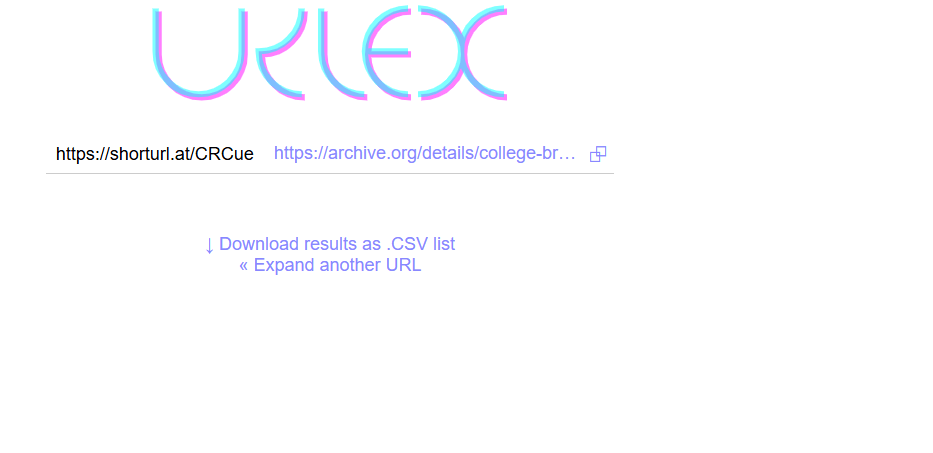
This is how you can access majority of the indicators we’ve discussed before without any log ingestion tools. Next, we will talk about how to help preventing phishing and how records such SPF, DMARC, and DKIM helps in these efforts under the following page Preventing Phishing Attacks.
 Free Cybersecurity Education